GitHub: from version control to production-ready automation - Part 2
In part 1, we covered the basics of GitHub and how to get started. But once your scripts start pulling data, creating journal entries, or feeding reports, a new question comes up: how do you trust this in production?
It’s no longer just about writing code — it’s about controlling changes, running it reliably, and protecting credentials.
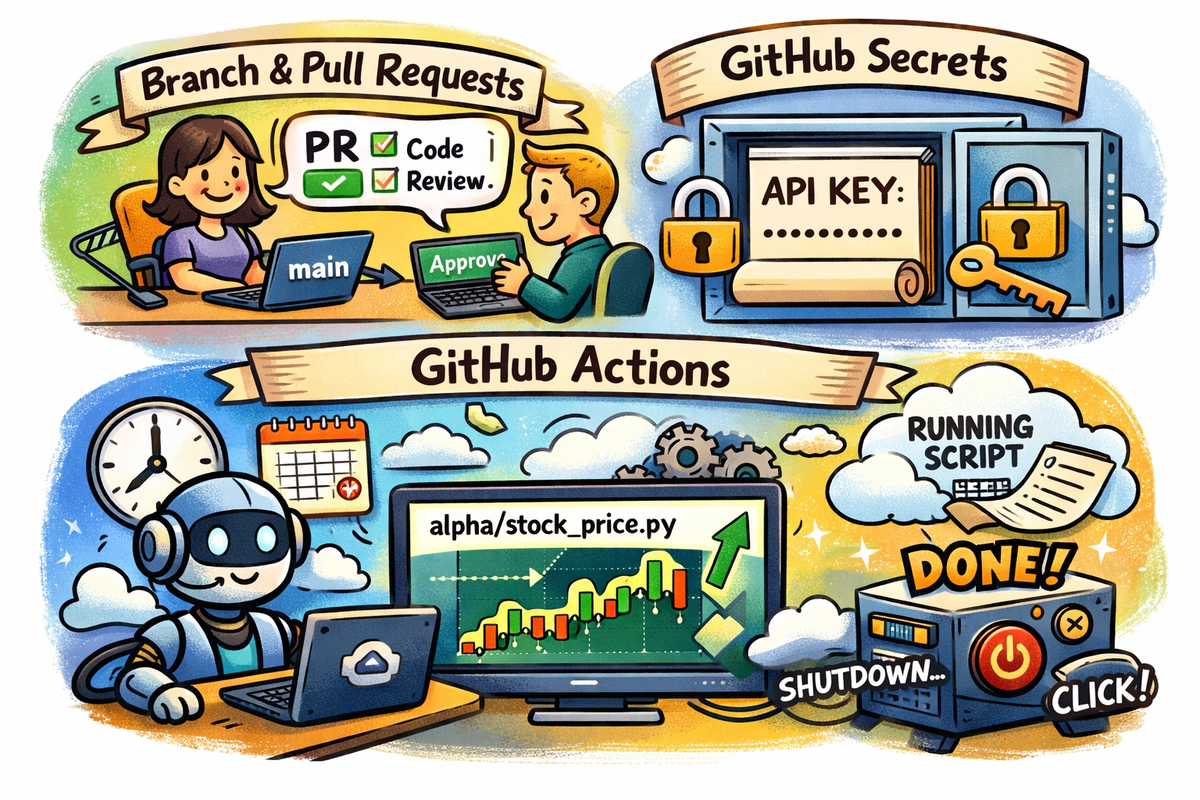
In this post, we’ll cover the patterns that make that possible: branches and pull requests, GitHub Actions, and secrets management in practice.
Branches and pull requests — enforcing control
To understand how GitHub supports control, you first need to understand branches.
A branch is simply a separate version of your code. Every repository has a default branch, usually called main, which represents the version of the code that is considered production-ready. It’s what runs in production, what other systems depend on, and ultimately what auditors care about.
Because of that, changes to main shouldn’t happen casually.
Instead, you create a branch to make changes safely, for example:
git checkout -b feature/add-accrual-script
This allows you to work in isolation, test your changes, and iterate without affecting production code. Only once the work is ready should it be considered for main.
This is where pull requests (PRs) come in.
A pull request is the mechanism used to merge your branch into main, but more importantly, it acts as the control point. Opening a pull request is effectively saying: “Here are the changes I want to introduce into production — please review them.”
A pull request captures everything needed for audit and control: the exact code changes, when they were made, who made them, why they were made, who reviewed them, and who approved them. That record stays with the repository permanently.
From a finance and ITGC perspective, this enforces:
- change management
- segregation of duties
- review and approval controls
- a complete audit trail
Instead of saying “we updated the script”, you can point to a pull request with a reviewer, timestamp, and full diff of the changes.
A typical workflow looks like this:
- Create a branch
- Make changes
- Open a pull request
- Get review and approval
- Merge into
main
It’s also good practice to protect the main branch in GitHub settings by requiring pull requests, approvals, and passing status checks before any changes are merged. This ensures that no code reaches production without review.
A simple example: from branch to pull request
Let’s walk through a simple workflow using this repository.
Step 1: fork and clone the repository
Fork the repository to your own GitHub account, then clone it:
git clone git@github.com:YOUR_USERNAME/automation_scripts.git
cd automation_scripts
Step 2: create a branch
git checkout -b feature/add-readme
Step 3: make a change
Open the project in your IDE and create a simple README.md:
# Automation Scripts
This repository contains scripts for finance automation experiments.
Step 4: commit your change
git add README.md
git commit -m "Add initial README file"
Step 5: push your branch
git push origin feature/add-readme
Step 6: open a pull request
Go to GitHub, click Compare & pull request, add a short description, and create the PR.
Step 7: review and approve
Assign a reviewer (or review your own changes if working solo), then approve.
Step 8: merge into main
Click Merge pull request. Your change is now part of main.
Secrets management in practice
To make this concrete, let’s use a simple example that requires an API key.
We’ll use Alpha Vantage, which provides free financial market data. You can get a free API key here.
The script we’ll use is already in the repository. If you forked the repo earlier, you already have it.
This script expects an environment variable called:
ALPHAVANTAGE_API_KEY
Run it locally
Before using GitHub, test it locally:
export ALPHAVANTAGE_API_KEY=your_api_key_here
python3 alpha/stock_price.py
Commit via pull request
Now follow the same workflow:
- create a branch
- make a small change
- open a pull request
- review and merge
Move the API key to GitHub Secrets
Next, remove the key from your local workflow and store it securely in GitHub:
- Go to Settings
- Navigate to Secrets and variables → Actions
- Click New repository secret
- Paste the key and save
Name it:
ALPHAVANTAGE_API_KEY
At this point, your code is version-controlled and your credentials are stored securely.
GitHub Actions — running code without your laptop
One of the biggest questions from part 1 is: do I have to run this from my computer forever?
With GitHub Actions, the answer is no.
GitHub can run your scripts automatically in a clean environment. Every run spins up a temporary virtual machine, installs your dependencies, executes your code, and then shuts everything down.
Using the Alpha Vantage example
We’ll reuse:
alpha/stock_price.py
As a refresher, by now:
- the code is in your repo
- the API key is stored in GitHub Secrets
Now we just need to run it.
A simple workflow
Create:
.github/workflows/run-script.yaml
name: run alpha script

on:
  push:
    branches: [ main ]
  workflow_dispatch:
  # schedule:
  #   - cron: "0 8 * * *"

jobs:
  run-script:
    runs-on: ubuntu-latest

    steps:
      - uses: actions/checkout@v4

      - name: Set up Python
        uses: actions/setup-python@v4
        with:
          python-version: '3.11'

      - name: Install dependencies
        run: |
          python -m venv .venv
          source .venv/bin/activate
          pip install -r requirements.txt

      - name: Run script
        env:
          ALPHAVANTAGE_API_KEY: ${{ secrets.ALPHAVANTAGE_API_KEY }}
        run: |
          source .venv/bin/activate
          python alpha/stock_price.py
Or use the existing one in the repo.
If you created or modified this file, commit and push it:
git add .github/workflows/run-script.yaml
git commit -m "Add GitHub Actions workflow"
git push origin main
How to run it
To run manually:
- Go to your repo
- Click Actions
- Select the workflow
- Click Run workflow
What this gives you
The workflow runs on every push to main (after your pull request is merged) or on demand.
Behind the scenes:
- GitHub spins up a virtual machine and creates a clean execution environment
- Dependencies are installed
- Your script runs
- The API key is securely injected at runtime from GitHub Secrets
- Once the run completes, the virtual machine is shut down
The key is never stored in your code, never exposed in the repository, and only exists during execution.
Optional: scheduling
You can also schedule this workflow by uncommenting the schedule block (for example, this cron job runs the workflow once per day at 8:00 AM UTC) :
# schedule:
#   - cron: "0 8 * * *"
Closing thoughts
This is where automation becomes production-ready.
Code is developed in branches, reviewed through pull requests, secrets are handled securely, and execution is automated. That combination is what allows you to move from experimentation to something that can support real financial processes — with the controls to back it up.